LunaCam Tutorial
Trim Encrypted TS Video
Trim Encrypted TS Video covers encrypted file handling, conversion, export, sharing, and secure delete points where plain files may appear.
Prepare
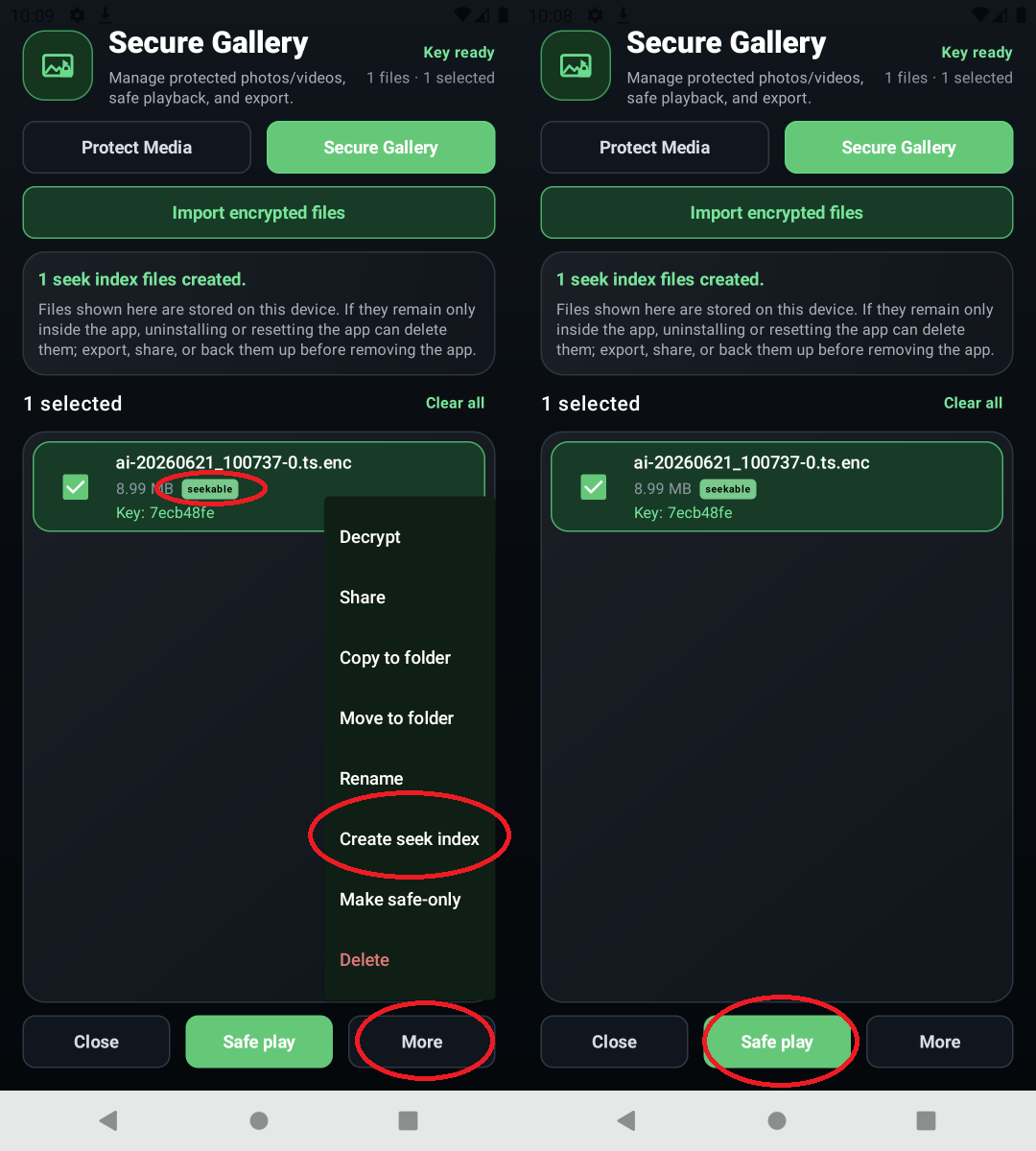
In File Tools, select the encrypted TS video first, then run Make Seekable or the seekable processing option before trimming.
Action
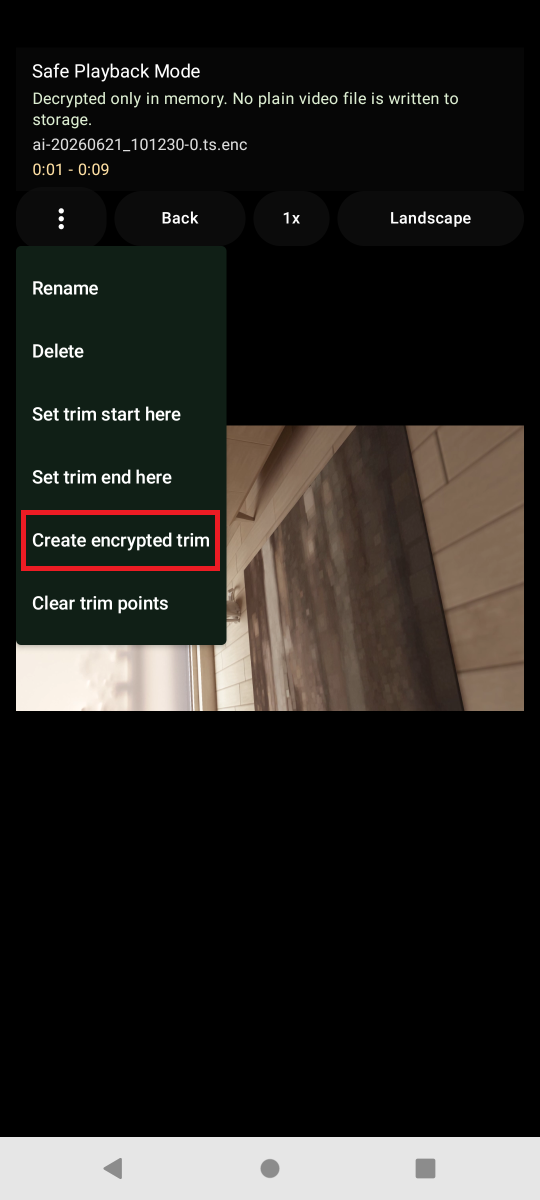
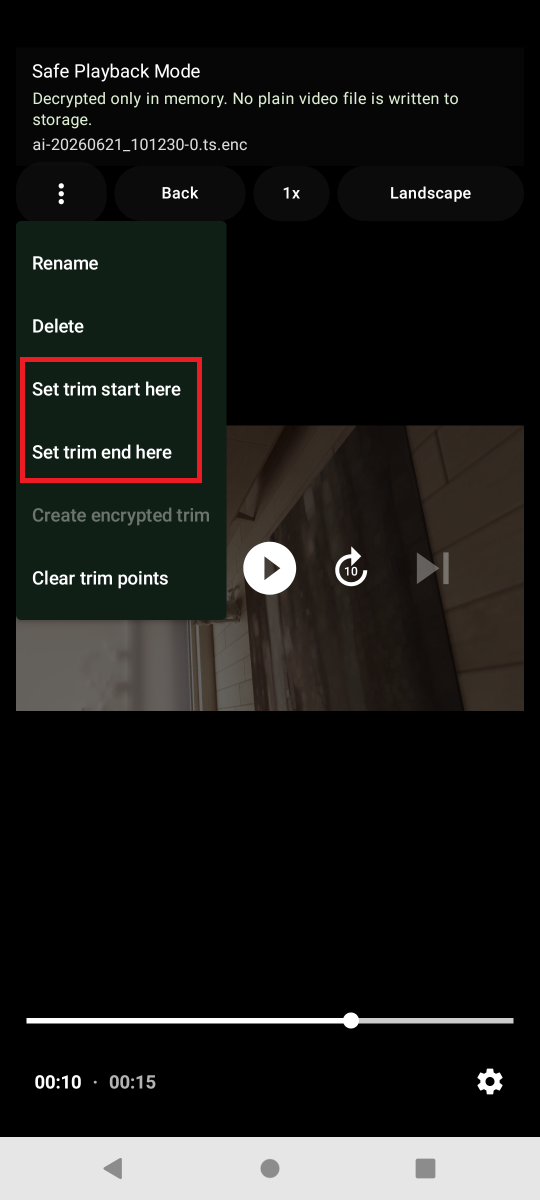
After seekable processing finishes, open the trim tool, choose the start and end points, and save the result file.
Confirm
Confirm whether the original is kept, where the result file was saved, and that the output remains protected unless you intentionally export a plain file.